In a world where data privacy, ad blockers, and browser restrictions are increasing day by day, traditional (client-side) tracking methods are no longer reliable enough. That’s where server-side tracking steps in — offering enhanced accuracy, better control, and stronger compliance.
If you’re a digital marketer, analyst, developer, or business owner, learning server-side analytics can give you a serious edge.
🤔 What is Server-Side Tracking?
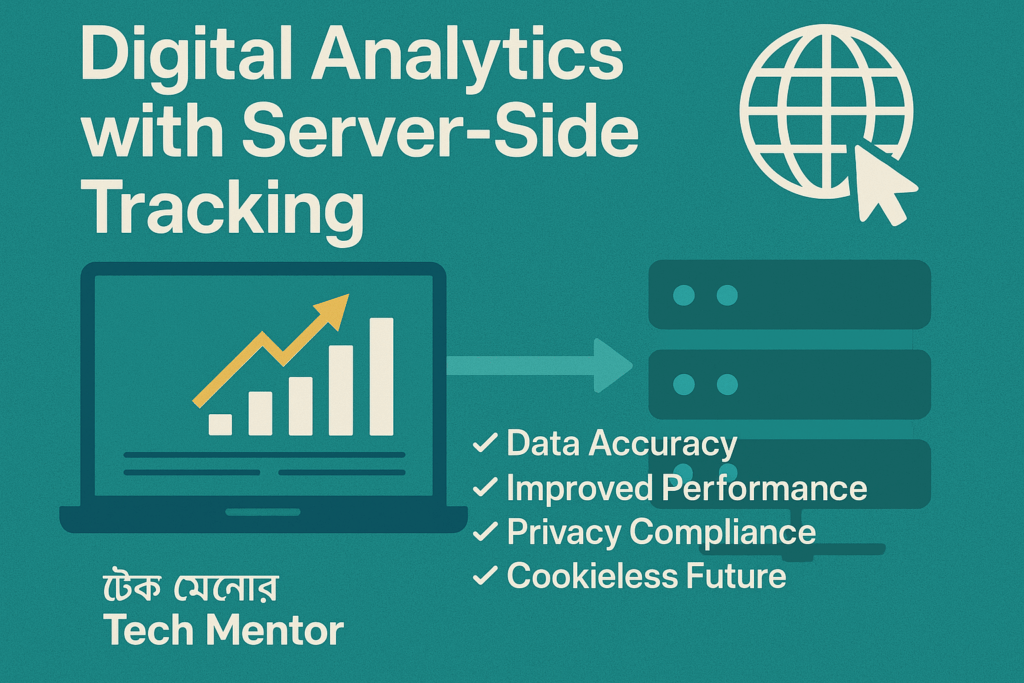
Server-side tracking is a method where user data is collected and processed on your server before being sent to analytics platforms like Google Analytics 4 (GA4), Facebook Pixel, or other marketing tools.
Unlike client-side tracking (which relies on browsers and JavaScript), server-side tracking is:
✅ More reliable
✅ Less affected by ad blockers
✅ GDPR & CCPA friendly
✅ Offers faster website performance
💡 Why Server-Side Analytics Matters in 2025
- 🌐 Chrome and Safari’s privacy updates are blocking third-party cookies
- 🔒 User privacy laws (like GDPR/CCPA) are forcing businesses to rethink data collection
- 🚫 Ad blockers are blocking client-side JavaScript-based tracking (like GA, FB pixel)
- 🧠 Data accuracy is crucial for AI-driven marketing and retargeting
⚙️ Server-Side Tracking vs Client-Side Tracking
| Feature | Client-Side | Server-Side |
|---|---|---|
| Accuracy | Often inaccurate | Highly accurate |
| Privacy Compliance | Risky | Easier to control |
| Ad Blocker Resistance | Blocked frequently | Rarely blocked |
| Load Speed | Affected by scripts | Faster (scripts reduced) |
| Data Ownership | Limited | Full control on your server |
🛠️ How Server-Side Tracking Works (Step-by-Step)
- User visits your website
- Data is collected in the background via first-party cookies
- The data is processed on your custom tracking server (e.g., Google Tag Manager Server-Side)
- Server sends clean, structured data to platforms like GA4, Facebook CAPI, TikTok, etc.
🧰 Tools You Can Use for Server-Side Tracking
- 🧪 Google Tag Manager Server-Side (sGTM)
- 🔁 Facebook Conversion API (CAPI)
- 📊 Google Analytics 4 (GA4)
- 🔐 Cloudflare Workers / AWS Lambda / Vercel Functions
- 🧰 Stape.io – Easiest platform for setting up server-side containers
- 🧱 Node.js / Python – For building custom server endpoints
🚀 Benefits of Implementing Server-Side Analytics
- 🎯 Better data for retargeting & audience segmentation
- 🔒 Improved user privacy & compliance
- 📈 Increased ROI from ads (less data loss)
- ⚡ Faster website load time
- 🎛 Full control over what data is sent and when
📉 Limitations of Server-Side Tracking
While server-side tracking is powerful, it has some challenges:
- 🛠 Requires technical setup
- 💸 May involve server costs
- 🔍 Debugging is a bit complex compared to browser-based tracking
✅ Who Should Learn This?
This skill is perfect for:
- 📈 Digital Marketing Analysts
- 🧑💻 Web Developers
- 🧲 Lead Generation Specialists
- 💼 E-commerce Store Owners
- 📊 Performance Marketers
📚 Learn Server-Side Tracking with Tech Mentor
At Tech Mentor, we offer a hands-on module on Digital Analytics & Server-Side Tracking, where you’ll learn:
- How to set up Google Tag Manager Server-Side
- How to track Facebook conversions with CAPI
- How to integrate GA4 with Node.js or Python endpoints
- How to protect user data and stay compliant
🧑🏫 Live Classes + Video Lessons + Real Projects
📜 Certificate on Completion
🎁 Lifetime Access & Free Tools Guide
🔗 Enroll Now: techmentorbd.com/all-courses
📞 Call Us: 01750361886
📩 Email: info@techmentorbd.com
🏁 Final Thoughts
Server-side tracking is not just a technical upgrade — it’s the future of privacy-first, performance-based marketing. Whether you’re struggling with missing data or planning to scale your ads profitably, this technology is your next step.
Want to future-proof your analytics game?
👉 Start learning server-side tracking today!